
I use both Excalidraw and draw.io for making diagrams. Both are open-source alternative to tools like Visio, LucidChart, and others. I wrote a little about both of these here.

You can now hook both of these up to Claude and get back editable diagrams.
draw.io in Claude
There are a few ways to get draw.io working in Claude. Here’s how to do it in the claude.ai web or desktop application.
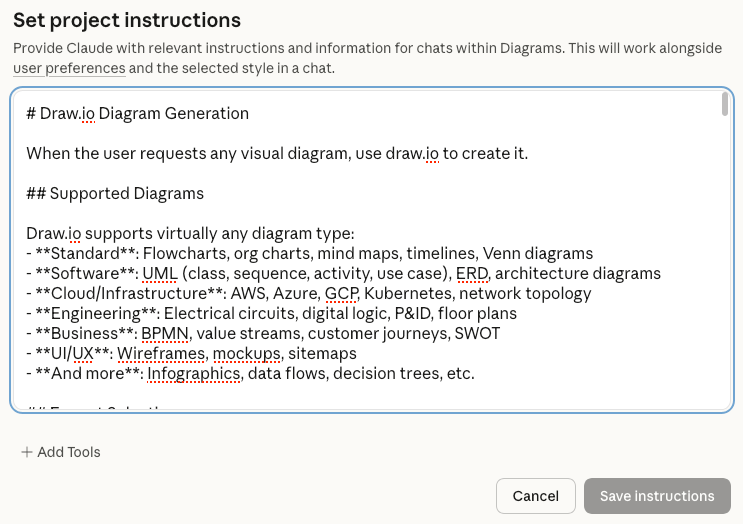
Add these custom instructions to a Claude project, and you’ll get an HTML artifact that has a link to a draw.io page to an editable diagram.
First, create a new project, and copy/paste these instructions into the project instructions. The instructions teach Claude to (1) Generate diagram code (Mermaid, XML, or CSV), (2) Execute Python code to compress and encode the diagram, (3) The script outputs a complete HTML page with the URL embedded as a clickable button, (4) Claude presents the HTML as an artifact with button to open draw.io.
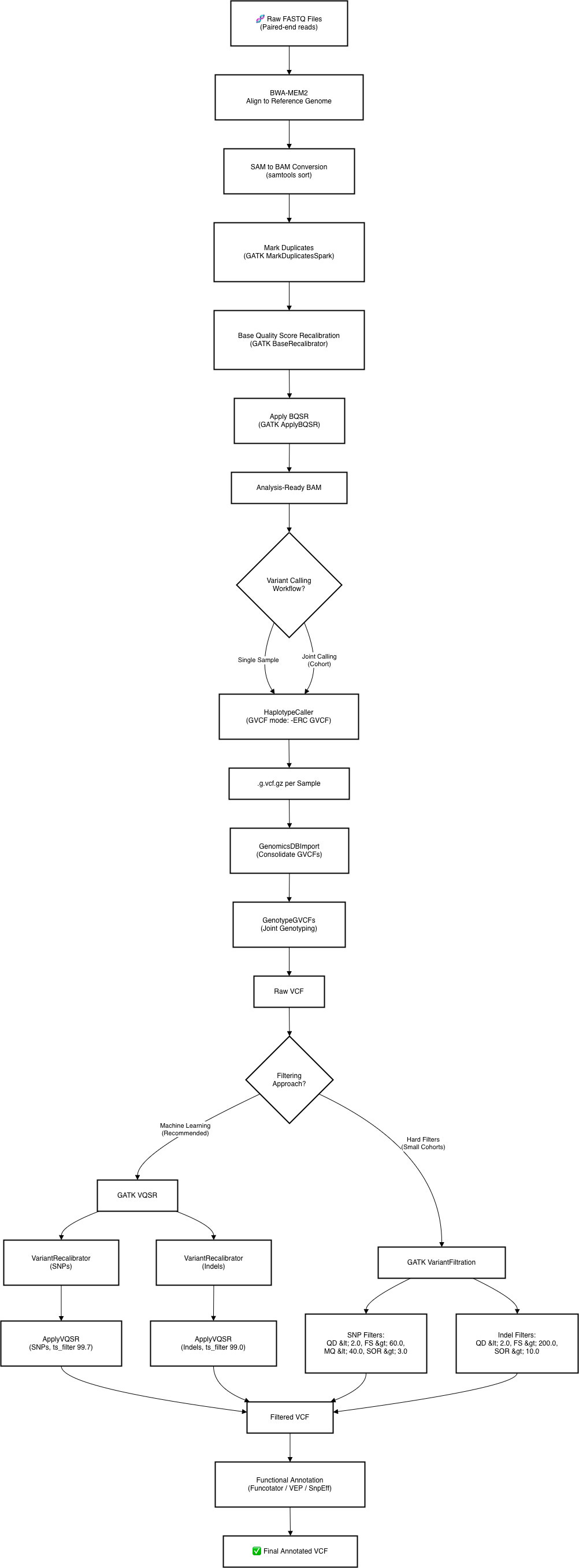
I opened a new chat in the project and asked: “Create a flowchart demonstrating the GATK best practices for variant calling.”
A few seconds later I get an artifact in the chat:

That artifact has a link to a draw.io (diagrams.net) page you can click. Here’s the result you can see for yourself:
Click that button and you should go to a draw.io page with an editable diagram.
The custom instructions are discussed further down on the main page about an MCP server that enables LLMs to create and open diagrams in the draw.io editor. You can use MCP, or just use the custom instructions presented here.
Excalidraw in Claude
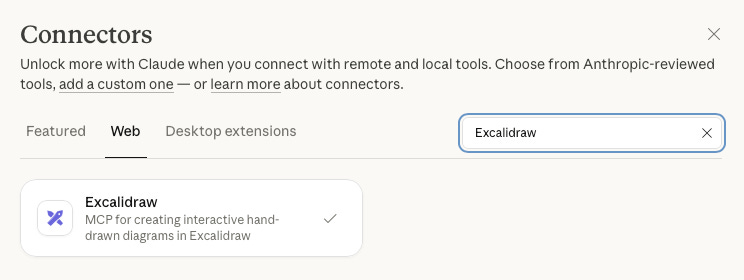
Excalidraw works a little differently. Go into Settings → Connectors then add the Excalidraw connector.
From here I made the same request.
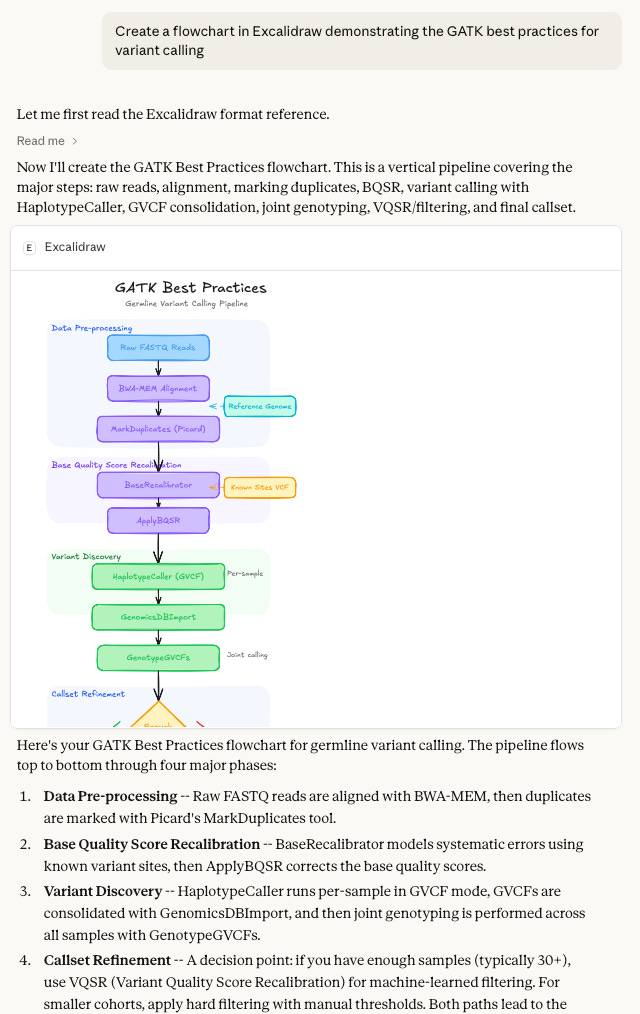
After doing this, Claude will give you a link like this one, that opens up your drawing in the Excalidraw editor.
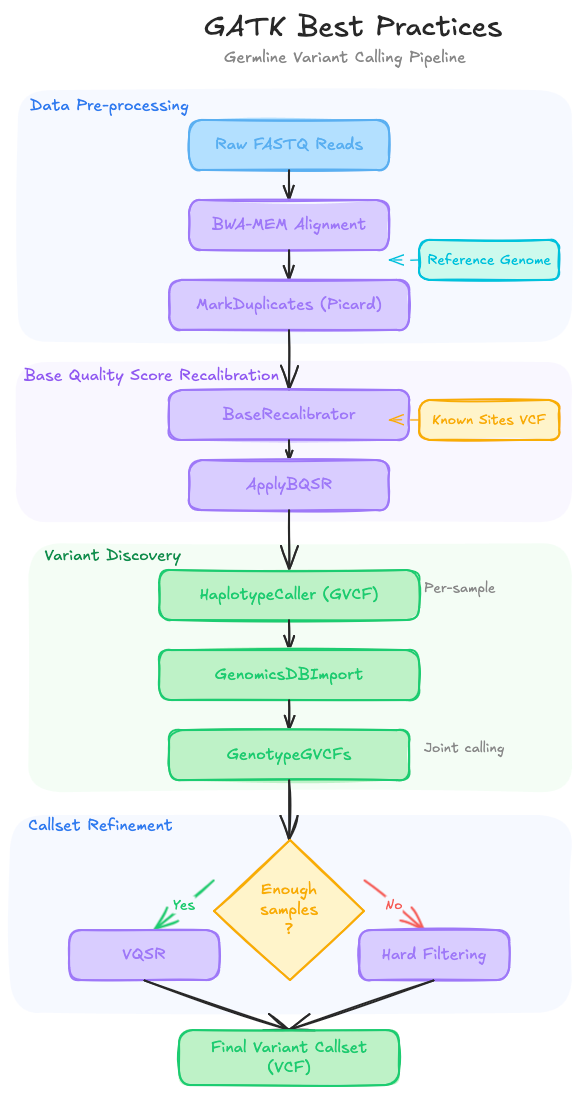
As always, YMMV, check its work. Both diagrams are roughly right, but differ in some important ways.
Lovely. Small note: the "these customs instructions" link 404s (https://github.com/jgraph/drawio-mcp/blob/main/src/claude-project-instructions.txt should be https://github.com/jgraph/drawio-mcp/blob/main/project-instructions/claude-project-instructions.txt)
Nice that we finally get some support beyond mermaid.js (which was sometimes flaky too). Do you know of any sLLMs or local models that can drive draw.io ? I'm also looking for something beyond flow and block architecture diagrams. Any thoughts?