
Ever find yourself looking through a pkgdown page or a Quarto book, copying and pasting code chunks from your browser into your IDE? I do, and it’s a minor annoyance.1
My friend and colleague VP Nagraj published a new R package called ctrlvee that makes this a lot easier.
It does one thing. Put your cursor anywhere in an R script in Positron or RStudio, call the add-in, provide a URL, and a few milliseconds later you’ll have all the code from that page in your editor, separated by chunk boundaries (along with some metadata and a note to check the license!).
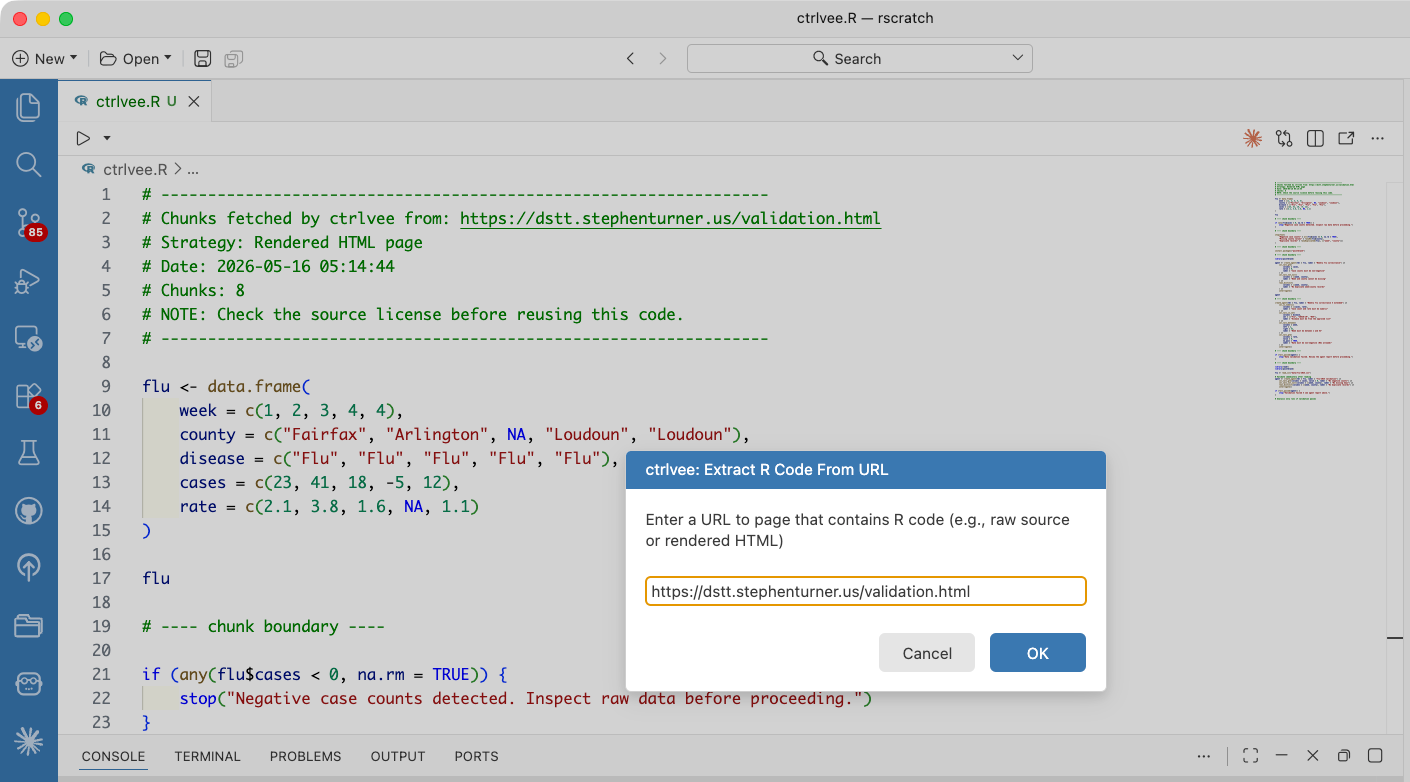
The package README provides a demonstration using the “Data Validation and QA” chapter of my Data Science Team Training book (dstt.stephenturner.us).
Install the package:
install.packages("ctrlvee")Run the add-in. In Positron you’ll open the command palette, search for Run RStudio Addin, then extract external R code and insert inline. You’ll get a modal asking you for a URL.
Paste one in. E.g., https://dstt.stephenturner.us/validation.html
The R code from the website appears in your editor 🚀
Here’s a demo.
Here’s what the extracted/inserted code looks like, from this source.
# -----------------------------------------------------------------
# Chunks fetched by ctrlvee from: https://dstt.stephenturner.us/validation.html
# Strategy: Rendered HTML page
# Date: 2026-05-16 05:14:44
# Chunks: 8
# NOTE: Check the source license before reusing this code.
# -----------------------------------------------------------------

flu <- data.frame(
    week = c(1, 2, 3, 4, 4),
    county = c("Fairfax", "Arlington", NA, "Loudoun", "Loudoun"),
    disease = c("Flu", "Flu", "Flu", "Flu", "Flu"),
    cases = c(23, 41, 18, -5, 12),
    rate = c(2.1, 3.8, 1.6, NA, 1.1)
)

flu

# ---- chunk boundary ----

if (any(flu$cases < 0, na.rm = TRUE)) {
    stop("Negative case counts detected. Inspect raw data before proceeding.")
}

# ---- chunk boundary ----

stopifnot(
    "Negative case counts" = all(flu$cases >= 0, na.rm = TRUE),
    "Missing county values" = !anyNA(flu$county),
    "Duplicate records" = !anyDuplicated(flu[, c("week", "county")])
)

# ---- chunk boundary ----

install.packages("pointblank")

# ---- chunk boundary ----

library(pointblank)

agent <- create_agent(tbl = flu, label = "Weekly flu surveillance") |>
    col_vals_gte(
        columns = cases,
        value = 0,
        label = "Case counts must be non-negative"
    ) |>
    col_vals_not_null(
        columns = c(week, county),
        label = "Week and county cannot be missing"
    ) |>
    rows_distinct(
        columns = c(week, county),
        label = "No duplicate week/county records"
    ) |>
    interrogate()

agent

# ---- chunk boundary ----

create_agent(tbl = flu, label = "Weekly flu surveillance — extended") |>
    col_is_numeric(
        columns = c(cases, rate),
        label = "Case count and rate must be numeric"
    ) |>
    col_vals_in_set(
        columns = disease,
        set = c("Flu", "COVID-19", "RSV"),
        label = "Disease must be from the approved list"
    ) |>
    col_vals_between(
        columns = week,
        left = 1,
        right = 52,
        label = "Week must be between 1 and 52"
    ) |>
    col_vals_gte(
        columns = rate,
        value = 0,
        na_pass = TRUE,
        label = "Rate must be non-negative (NAs allowed)"
    ) |>
    interrogate()

# ---- chunk boundary ----

if (!all_passed(agent)) {
    stop("Data validation failed. Review the agent report before proceeding.")
}

# ---- chunk boundary ----

library(readr)
library(pointblank)

flu <- read_csv("data/flu-2024.csv")

# Validate immediately after reading
agent <- create_agent(tbl = flu, label = "flu-2024 validation") |>
    col_vals_gte(columns = cases, value = 0, label = "No negative counts") |>
    col_vals_not_null(columns = c(week, county), label = "No missing keys") |>
    rows_distinct(columns = c(week, county), label = "No duplicate records") |>
    interrogate()

if (!all_passed(agent)) {
    stop("Validation failed — see agent report above.")
}Sure, if the pkgdown page or Quarto book or whatever has source code on GitHub, you could find the source and open that up directly. However, you won’t find the source for everything, and the source will be crowded by markdown narrative you might not want if you’re just looking for the code.
https://quarto.org/docs/output-formats/html-code.html#copy-button
Good practice to turn on the copy button on quarto documents