
The watcher R package (watcher.r-lib.org) monitors your filesystem for changes, and can run code automatically when data is created or updated.
A helpful use case for this is to monitor a folder for changes, then render a Quarto report for whatever new data arrived.
Simple example here starting with an empty data directory and a Quarto template.
$ tree
.
├── data
└── report.qmd
This is a parameterized Quarto template that uses Typst to compile a simple PDF report showing a summary() of a CSV you read in.
---
title: "Automatically compiled report"
author: "Stephen Turner"
subtitle: "File: `r basename(params$csv_path)`"
date: today
format: typst
params:
    csv_path: NA
---

Compiled `r format(Sys.time(), "%Y-%m-%d %H:%M:%S %Z")` from `r params$csv_path`.

```{r}

```

```{r}
df <- read.csv(params$csv_path)
summary(df)
```
Now let’s set up the watcher. The watcher monitors a directory for new files, then runs quarto_render passing in the new file as a parameter.1
library(watcher)

render <- function(paths) {
  message(format(Sys.time()), ": ", length(paths), " file(s) changed")
  message(paths)
  quarto::quarto_render(
    "report.qmd",
    output_file = basename(paths),
    execute_params = list(csv_path = paths),
    quiet = TRUE
  )
}

w <- watcher(path = "data", callback = render, latency = 1)
w$start()
Now whenever new files land in data/ the watcher will automatically render the parameterized Quarto document, which just prints a summary of the data. The w$start() doesn’t tie up my R console. It’s running in the background.
Now, when I create new CSV files in the data directory, the watcher finds these and renders the reports.
> iris |> write.csv("data/iris.csv")
2026-07-15 05:45:28: 1 file(s) changed
/Users/sdt5z/Downloads/watcher-test/data/iris.csv

> penguins |> write.csv("data/penguins.csv")
2026-07-15 05:45:33: 1 file(s) changed
/Users/sdt5z/Downloads/watcher-test/data/penguins.csv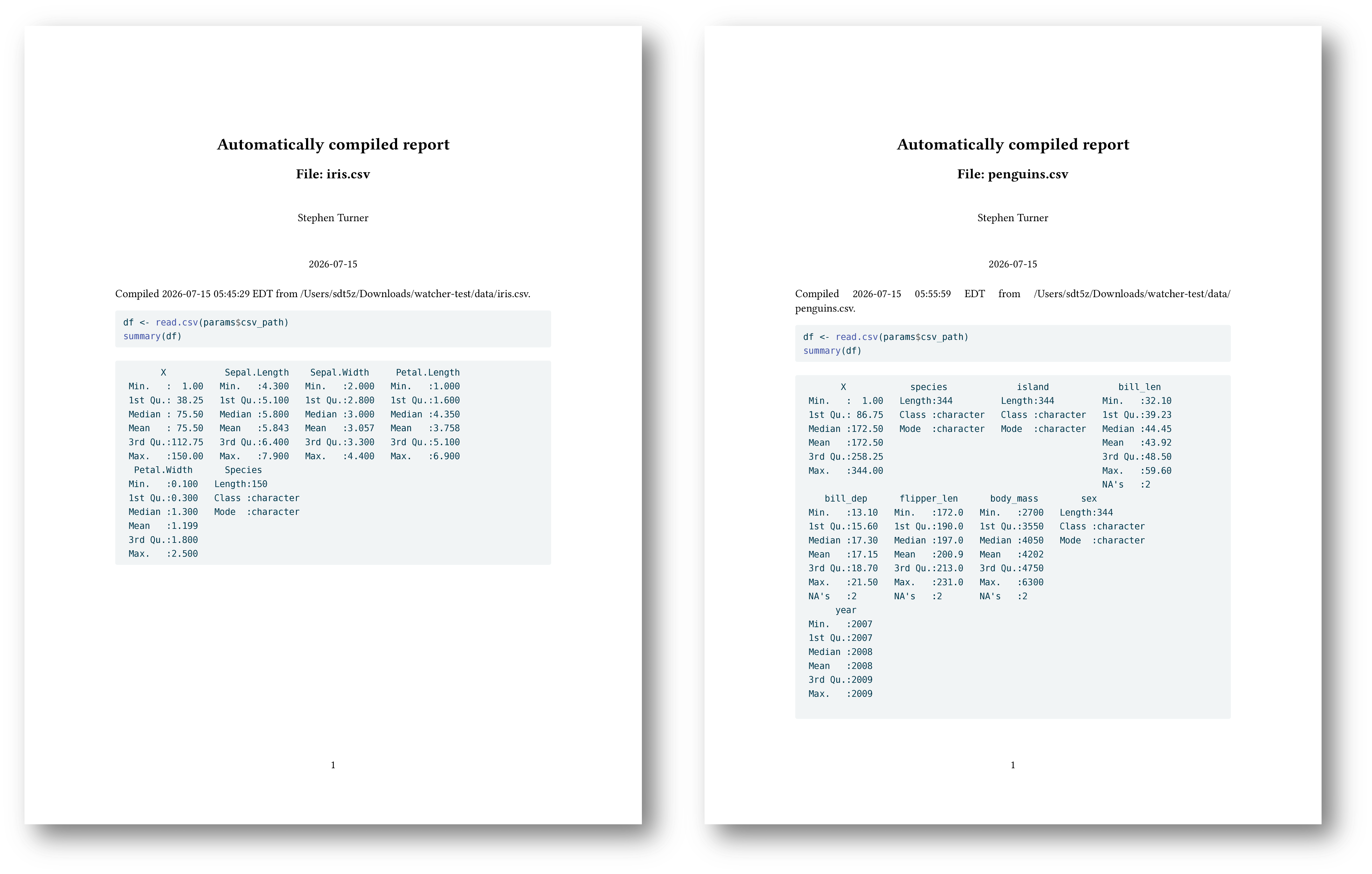
Here’s what my working directory looks like after:
$ tree
.
├── data
│   ├── iris.csv
│   └── penguins.csv
├── iris.csv.pdf
├── penguins.csv.pdf
├── report.qmd
└── watch.R
With this you could start the watcher in a background R process (e.g., running under tmux or something), monitoring a shared drive or some cloud location. Whenever new data arrives, a report gets compiled without you having to do anything.
More on the watcher package:
Posit blog: https://opensource.posit.co/blog/2026-06-29_watcher-0-2-0/
watcher docs: https://watcher.r-lib.org/
In production you’ll want to build in some basic checks for file type, checking that the data actually contains the columns/shape you expect, and so on.