
TL;DR: I created a Claude Skill that creates _brand.yml specifications for your organization’s brand assets. To test this I created one for my own home, the UVA School of Data Science. With the latest Quarto pre-release, you can share these with quarto use brand githubusername/repo.
_brand.yml for multiformat theming
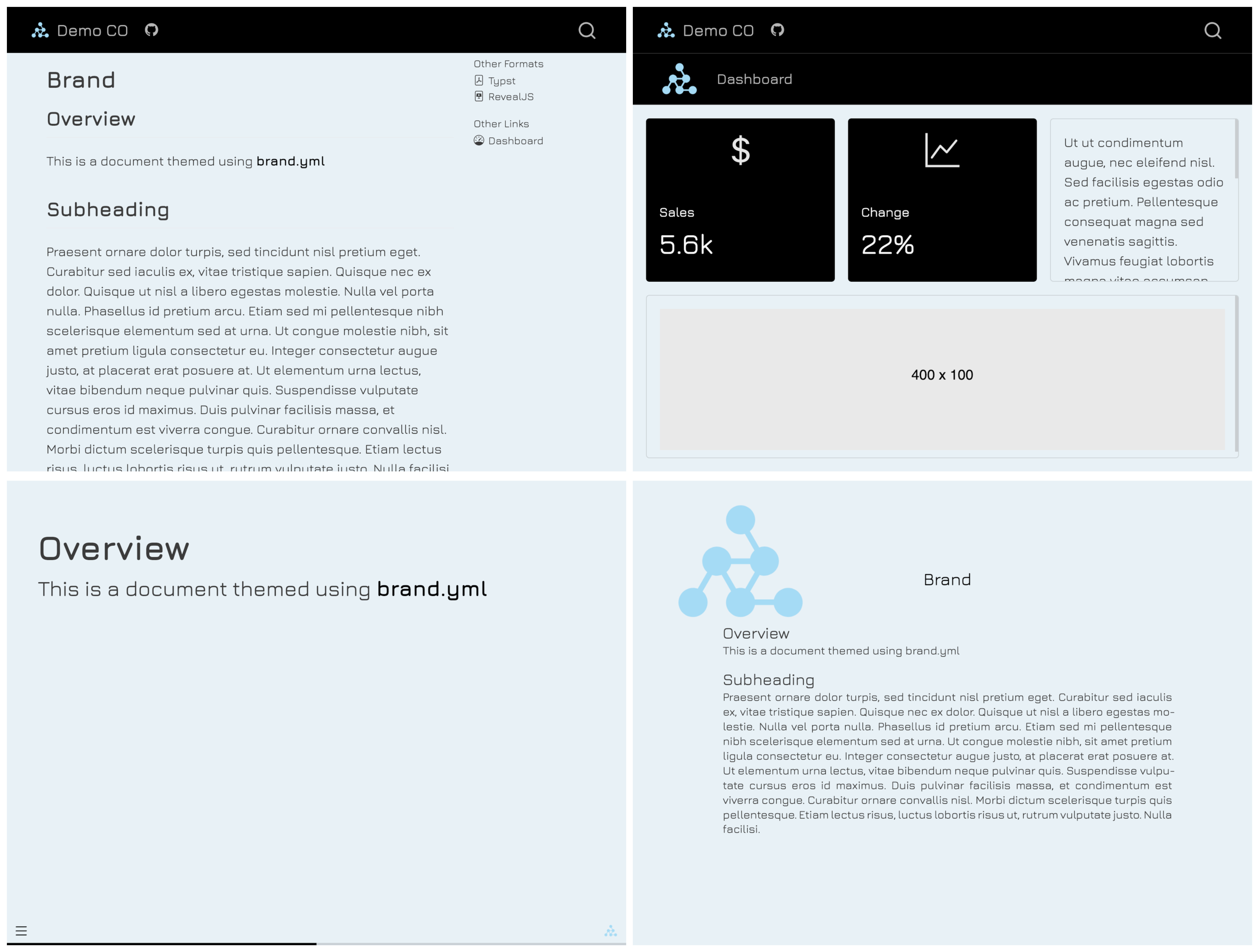
brand.yml a single YAML file that can be used to customize the appearance of your documents across multiple formats. And Quarto supports it, meaning that you can write one single brand.yml file, and your outputs across things like websites, dashboards, presentations, and PDFs will have a similar look and feel.
You can read the documentation on brand.yml specs, and how to use brand.yml in Quarto. Here’s a really simple brand.yml file that changes some colors and uses a Google font.
color:
  palette:
    dark-grey: "#222222"
    blue: "#ddeaf1"
  background: blue
  foreground: dark-grey
  primary: black

logo:
  medium: logo.png

typography:
  fonts:
    - family: Jura
      source: google
  base: Jura
  headings: Jura
This example is from the Quarto docs. You drop that file into a folder with some quarto documents, and your HTML websites, dashboards, revealjs presentations, and Typst PDFs will adhere to these specs without having to modify each one.
Claude brand.yml skill
You can extend Claude with skills. Skills are a folder with some instructions (SKILL.md) and optionally some references (specs, scripts, code, other data that’s invoked as needed) to extend Claude (or other agents) with specialized knowledge to help automate some tasks and avoid repeating the same set of complex instructions.
If you’re completely new to skills, I’d suggest this course from Elie Schoppik, Agent Skills with Anthropic. It’s free, and it’s short. The brand.yml docs have a page on creating brand.yml files with the help from an LLM. I used Claude itself to create a Claude Skill to create a brand.yml for you.
The skill is here: github.com/stephenturner/skill-brand-yml.
You can download and install the skill from the release page.
Here are a few things you could do with it:
Extract brand identity from a website:
Create a
_brand.ymlfor my Quarto project based on https://posit.co
Use well-known institutional colors:
Create a
_brand.ymlusing the UVA School of Data Science brand. Use their official colors and find Google Fonts that are close to their brand fonts.
Build from a manual description:
I need a
_brand.ymlwith these colors: navy#1B2A4A, coral#FF6B6B, cream#FFF8F0. Use Inter for body text and Playfair Display for headings.
Refine an existing file:
Here’s my current
_brand.yml. Can you check it against the spec and fix any issues?
UVA SDS brand.yml
I used the skill above to create a brand.yml for the UVA School of Data Science.
It looked around the web, found the SDS brand resources page, also found an open Google Drive link containing all the School’s logos, and also figured out that Google’s Libre Franklin is a good alternative to Franklin Gothic, and Libre Caslon is a good alternative to Adobe Caslon. Finally, it assembled a brand.yml file and associated logos and Google Font references: github.com/stephenturner/uva-sds-brand-yml.
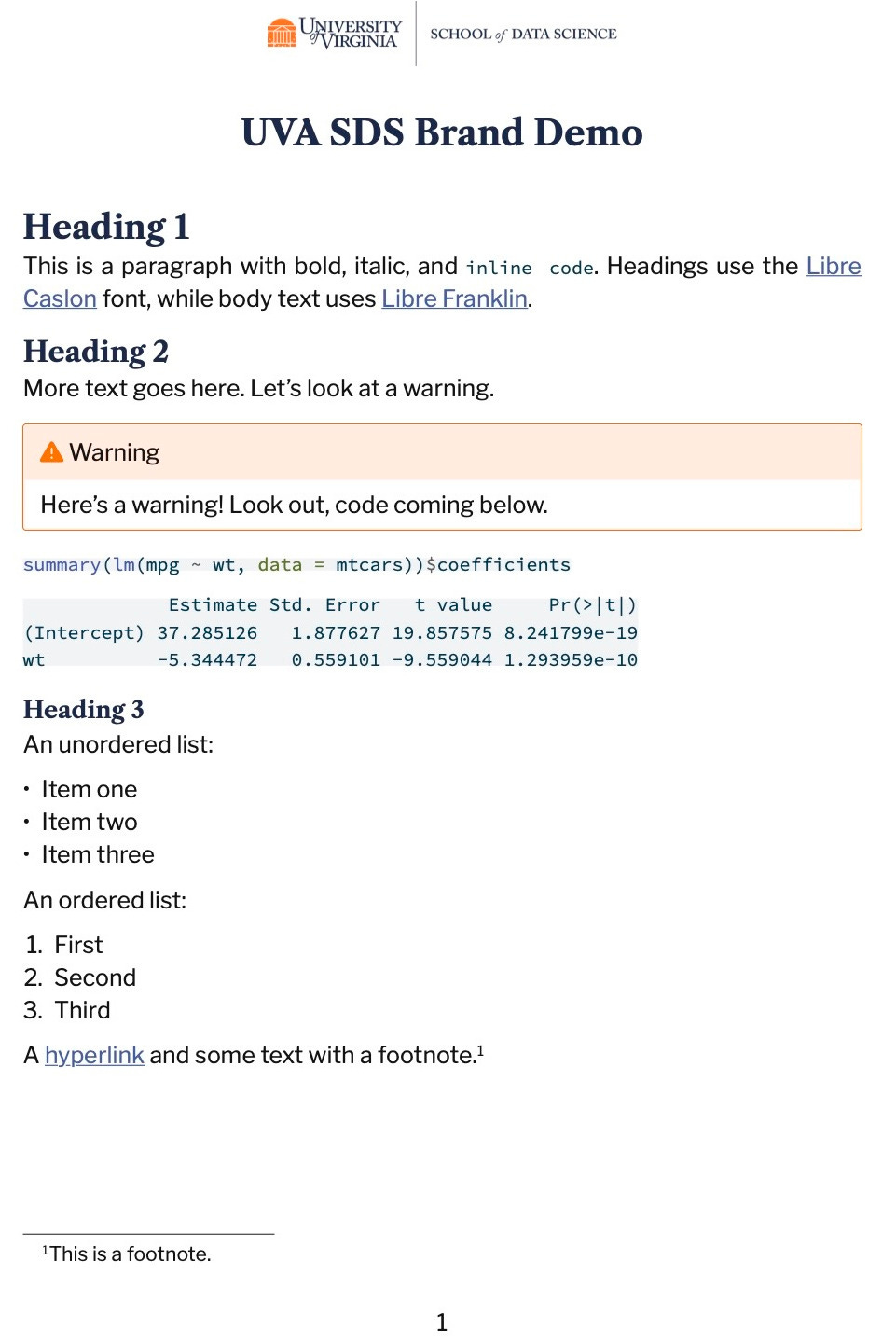
Here’s what it looks like. First, a PDF made with format: typst.
Here’s a Quarto website using the same brand.yml:

It needs a little work, and probably looking through some of the other available logos for different types of documents. But generally I’m happy with the one-shot result.
Quarto 1.9: sharing with quarto use brand
You could just clone the repo and copy the files into your quarto project. Or, if you download the Quarto 1.9 pre-release, you can use the new quarto use brand command to copy brand files from an external source into your project’s _brand/ directory. I.e., quarto use brand stephenturner/uva-sds-brand-yml. Thanks to Isabella Velásquez for pointing this out to me!
$ quarto use brand stephenturner/uva-sds-brand-yml

If you do not trust the authors of the brand, we recommend that you do not install or use the brand.
? Do you trust the authors of this brand (Y/n) › Yes
? Create brand directory /Users/sdt5z/repos/brand-test/_brand? (Y/n) › Yes
[✓] Downloading
[✓] Unzipping
? Proceed with using brand main.tar.gz? (Y/n) › Yes

Preparing brand files...
[✓] Copying files...

Created:
 - _brand.yml
 - logos/SDS-Logo-Color-Screen.png
 - logos/SDS-Logo-Black-Screen.png
 - logos/SDS-Monogram-Logo-Color-Screen.png
 - logos/SDS-Monogram-Logo-Black-Screen.png
 - logos/Data-Science-Split-V-Logo.png
That’ll copy the brand.yml and logo files from the github repository to your project directory. Note, it’ll overwrite anything already in _brand.