
Alt text is a short text description of an image that’s important for accessibility with screen readers. It also helps with SEO. The Quarto Docs provide details on how to add alt text to images with Quarto.
Emil Hvitfeldt published a blog post with a Claude Code skill to create alt text in Quarto documents.
I have some personal skills in ~/.claude/skills and I added this one to it. I.e., I added a file at ~/.claude/skills/write-alt-text/SKILL.md with the skill text Emil provides in his blog post.
After writing a Quarto doc, I can just ask Claude Code, “Use the write-alt-text on the file @my-doc.qmd” or I can directly invoke the new slash command available to me with the skill now installed: /write-alt-text @my-doc.qmd.
Here’s what a demo Quarto doc looks like before with some plots using the penguins, mtcars, and diamonds data.
---
title: "Testing alt text"
format: html
---

```{r}
#| message: false
library(ggplot2)
```

## Penguins: Bill Length vs. Flipper Length

```{r}
ggplot(
  penguins,
  aes(x = flipper_len, y = bill_len, color = species)
) +
  geom_point() +
  labs(
    title = "Penguin bill length vs. flipper length",
    x = "Flipper length (mm)",
    y = "Bill length (mm)",
    color = "Species"
  ) +
  theme_minimal()
```

## mtcars: Fuel Efficiency by Cylinders

```{r}
ggplot(mtcars, aes(x = factor(cyl), y = mpg, fill = factor(cyl))) +
  geom_boxplot(show.legend = FALSE) +
  labs(
    title = "Fuel efficiency by number of cylinders",
    x = "Number of cylinders",
    y = "Miles per gallon (MPG)"
  ) +
  theme_minimal()
```

## Diamonds: Cut vs. Price

```{r}
ggplot(diamonds, aes(x = cut, y = price, fill = cut)) +
  geom_violin(show.legend = FALSE) +
  scale_y_log10(labels = scales::dollar) +
  labs(
    title = "Diamond price distribution by cut",
    x = "Cut",
    y = "Price (log scale)"
  ) +
  theme_minimal()
```
After running that new skill, Claude Code confirms what it did:
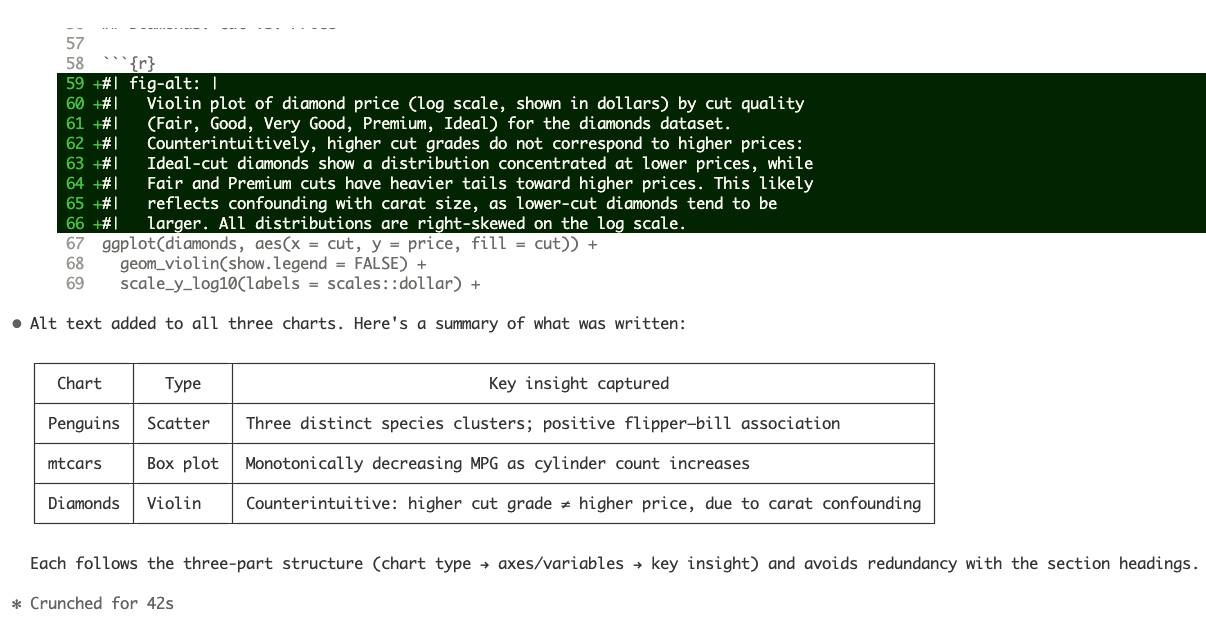
And my new quarto doc looks like this, now with alt text on each chunk:
---
title: "Testing alt text"
format: html
---

```{r}
#| message: false
library(ggplot2)
```

## Penguins: Bill Length vs. Flipper Length

```{r}
#| fig-alt: |
#|   Scatter chart of penguin bill length (mm) on the y-axis versus flipper
#|   length (mm) on the x-axis, with points colored by species (Adelie,
#|   Chinstrap, Gentoo). The three species form distinct clusters. Gentoo
#|   penguins tend to have the longest flippers but moderate bill lengths,
#|   while Chinstrap penguins have shorter flippers but relatively long bills.
#|   Across all species, longer flippers are generally associated with longer
#|   bills.
ggplot(
  penguins,
  aes(x = flipper_len, y = bill_len, color = species)
) +
  geom_point() +
  labs(
    title = "Penguin bill length vs. flipper length",
    x = "Flipper length (mm)",
    y = "Bill length (mm)",
    color = "Species"
  ) +
  theme_minimal()
```

## mtcars: Fuel Efficiency by Cylinders

```{r}
#| fig-alt: |
#|   Box plot of fuel efficiency (miles per gallon) by number of cylinders
#|   (4, 6, or 8) for cars in the mtcars dataset. Cars with 4 cylinders have
#|   the highest median MPG, followed by 6-cylinder cars, with 8-cylinder cars
#|   showing the lowest and most variable fuel efficiency. The relationship is
#|   clearly monotonically decreasing: more cylinders corresponds to worse fuel
#|   economy.
ggplot(mtcars, aes(x = factor(cyl), y = mpg, fill = factor(cyl))) +
  geom_boxplot(show.legend = FALSE) +
  labs(
    title = "Fuel efficiency by number of cylinders",
    x = "Number of cylinders",
    y = "Miles per gallon (MPG)"
  ) +
  theme_minimal()
```

## Diamonds: Cut vs. Price

```{r}
#| fig-alt: |
#|   Violin plot of diamond price (log scale, shown in dollars) by cut quality
#|   (Fair, Good, Very Good, Premium, Ideal) for the diamonds dataset.
#|   Counterintuitively, higher cut grades do not correspond to higher prices:
#|   Ideal-cut diamonds show a distribution concentrated at lower prices, while
#|   Fair and Premium cuts have heavier tails toward higher prices. This likely
#|   reflects confounding with carat size, as lower-cut diamonds tend to be
#|   larger. All distributions are right-skewed on the log scale.
ggplot(diamonds, aes(x = cut, y = price, fill = cut)) +
  geom_violin(show.legend = FALSE) +
  scale_y_log10(labels = scales::dollar) +
  labs(
    title = "Diamond price distribution by cut",
    x = "Cut",
    y = "Price (log scale)"
  ) +
  theme_minimal()
```